

Destination Detail
The Overview, Past proposals, Local suppliers, and Points of interest tabs on a destination's page in Ghloria.
Opening a destination from the Destinations list shows its page, with a hero image and three tabs. The page shows when it was Last updated.
Overview tab
Everything your team needs to know about the place, in two layers.
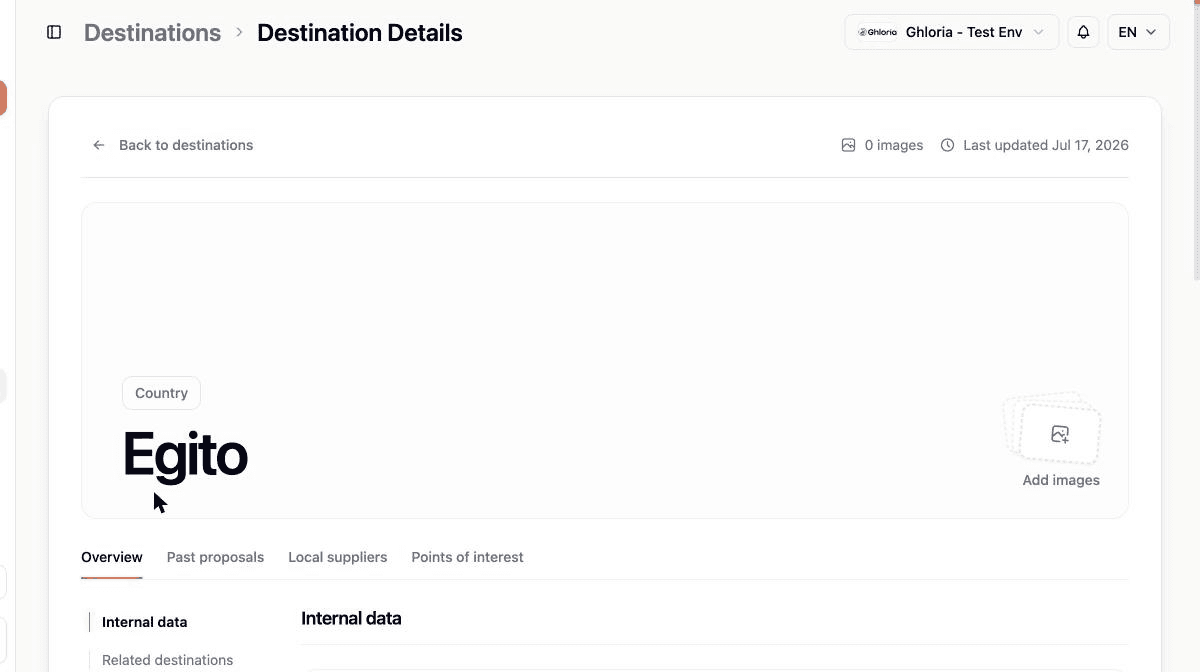
Shared facts, maintained by Ghloria:
- When to visit: weather by month (good, mixed, poor) and demand (peak, shoulder, off).
- Quick facts and practical information: time zone, languages, currency, visa and entry, and health and safety.
- Highlights: signature experiences and festivals.
- Related destinations: places that contain or sit inside this one.
Internal data, written by your agency and visible only to it:
- Internal overview and internal notes
- Local tips
- Events
- Emergency contacts
Click Edit on an internal section, make your changes, and click Save changes. If a colleague saved the destination first, Ghloria asks you to reload before saving, so nobody overwrites anybody else.
Past proposals tab
A table of every proposal that uses this destination or one inside it, so an agent can see earlier work for a place before quoting a new client, for example what a similar trip sold for last time. Search by title, filter by status, and click a row to open that proposal.
Local suppliers tab
Suppliers for this destination, in two groups:
- Located here: suppliers with an address or venue in the destination.
- Also operate here: suppliers based elsewhere that declare they operate here, such as transfer companies.
In the Preferred column, mark up to three suppliers per category as your favourites for this destination, and put them in order. A destination uses the list of the destination above it until you set its own. Reset to inherited brings that list back. If a colleague changed the list first, Ghloria shows the latest version for you to review and apply your change again.
Reference, not proposal content
Editing a destination never changes a proposal. Flights, accommodation, and extras are edited inside the proposal itself. See Services in a Proposal.
Points of interest tab
Lists the sights, museums and landmarks linked to this destination. Open one to see its details, or add it to an itinerary day from the proposal. See Points Of Interest.