

Extras
How to add tours, transfers, activities, restaurants, tickets, fees and other services to a proposal.
Use the Extras tab for everything that is not a flight, a stay, a cruise or a train: tours, transfers, restaurant bookings, tickets, guides, insurance and fees. Extras are organised in groups, and each group holds items of one or more types.
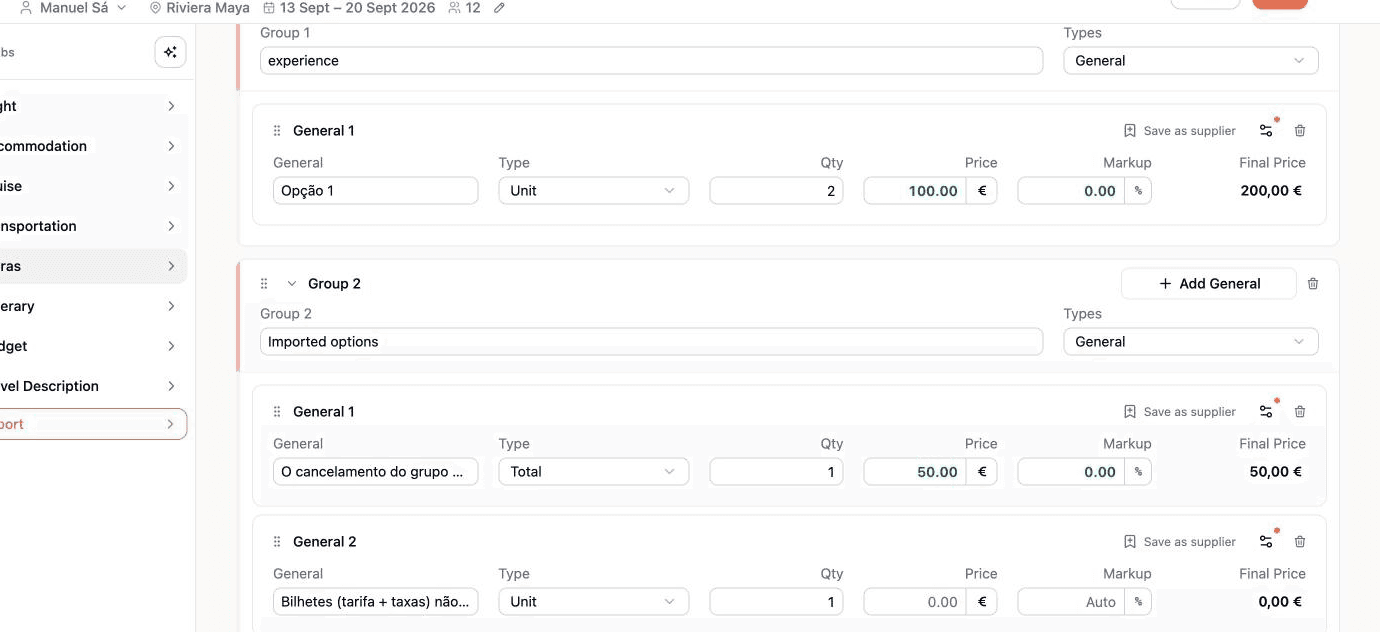
Types
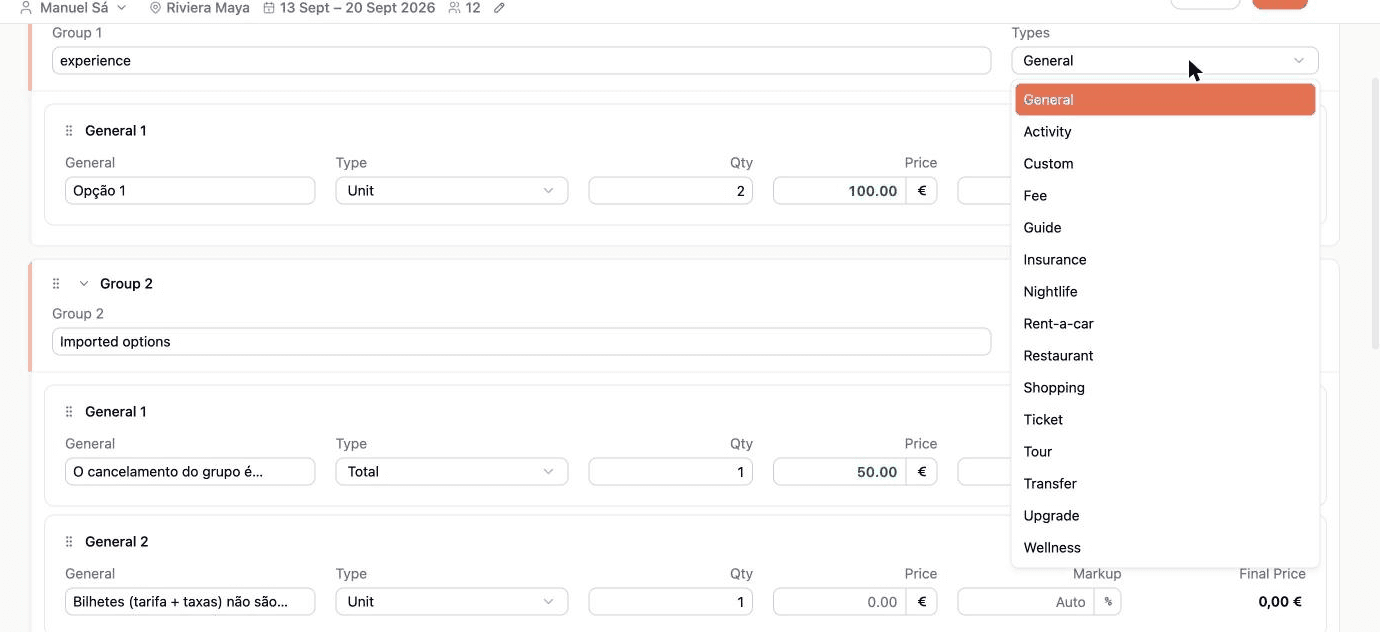
| Type | Typical use |
|---|---|
| General | Anything that does not fit another type |
| Activity | Excursions and experiences |
| Custom | A service you describe yourself |
| Fee | Booking, visa or service fees |
| Guide | A local or private guide |
| Insurance | Travel insurance sold with the trip |
| Nightlife | Evening entertainment |
| Rent-a-car | Car rental |
| Restaurant | Meals and table reservations |
| Shopping | Shopping experiences |
| Ticket | Entrance tickets, shows, passes |
| Tour | Guided tours |
| Transfer | Airport or hotel transfers |
| Upgrade | Paid upgrades on another service |
| Wellness | Spa and wellness |
Building A Group
Add a group
Click Add extras group at the top of the tab. Give it a Group label, for example Day excursions, and choose its Types.
Add items
Use the button beside the type, which reads Add General, Add Activity and so on, to add an item of that type.
Fill in each item
| Field | Notes |
|---|---|
| Name | What the client sees, for example Sintra day trip |
| Type | Unit (price per person or per unit) or Total (one price) |
| Qty | How many the price applies to |
| Price | The net price you pay |
| Markup | Your profit, or Auto |
| Final Price | Calculated for you |
Record the conditions
Use the text field of an item for the supplier's terms, for example the cancellation rules. They stay with the service.
Saving A Service For Reuse
Save as supplier on an item saves its details as a supplier record. Check the result afterwards in Suppliers before relying on it.
Base Or Optional
In the Budget, each extra has a Proposal status:
- Base: part of the price, and the client cannot remove it.
- Optional · Selected: counted in the price, but the client may drop it.
- Optional · Not selected: not counted, but the client may add it.
Nuances
Common Mistakes
- Wrong basis. A per-person ticket entered as Total under-prices a group.
- Leaving an optional item marked Base, so the client cannot drop it.
- Typing a fee as General. Use Fee so it is easy to find.
What The Client Sees
Extras appear grouped in the website, email and PowerPoint, with the optional ones marked. See Export panel.